
Free Trading Indicators

Indicators we built for our own trading, free to download. No email, no signup β€” just grab the file.

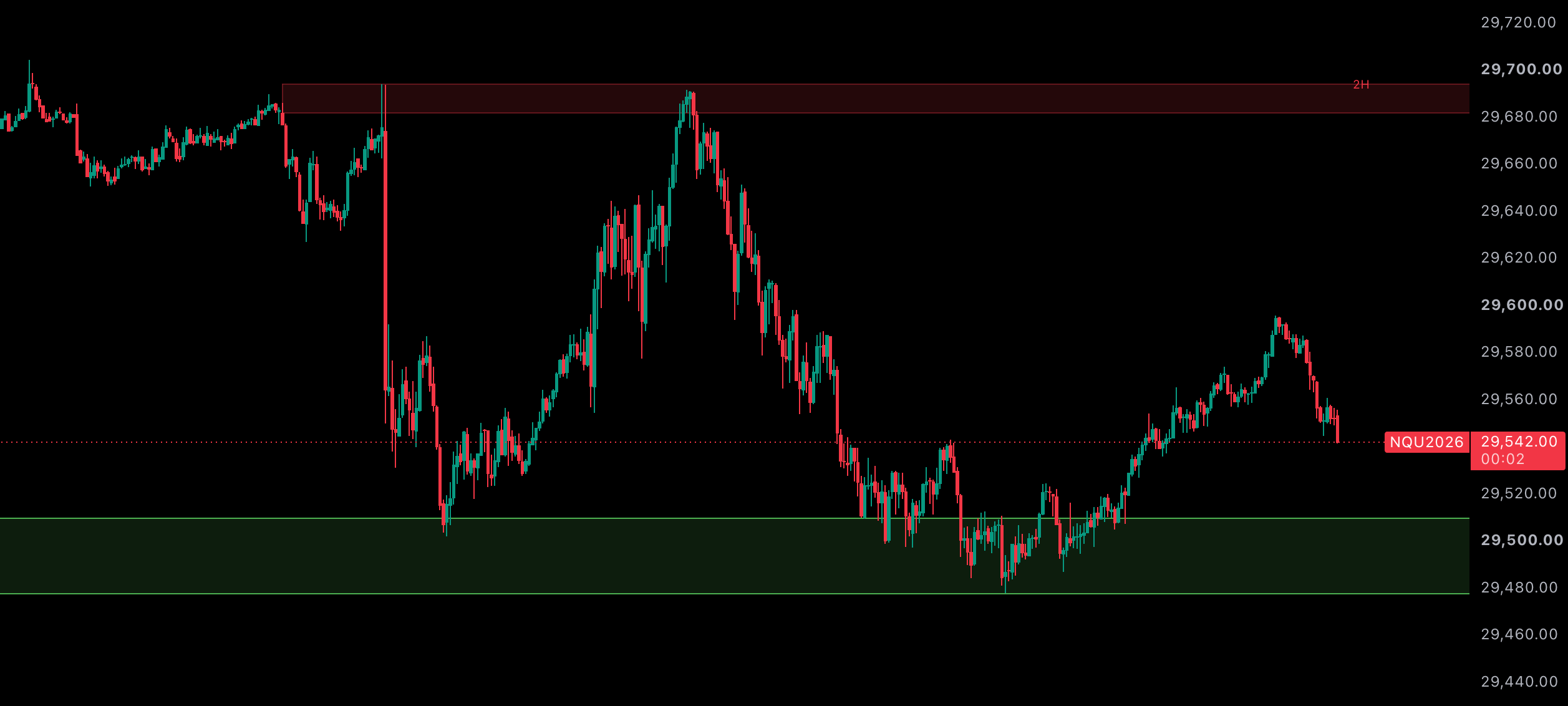
Nasdaq futures chart with a red 2-hour supply zone overhead and a green demand zone below, both drawn automatically by the MTF Supply & Demand indicator
Supply and demand zones plotted automatically on NQ, each labeled with the timeframe it came from.
Supply & DemandMulti-Time FrameFree

Multi-Time Frame Supply & Demand Zones

This indicator automatically creates supply and demand zones from the 15-minute time frame up to the daily time frame on any instrument. Zones are automatically removed when they've become invalidated.

Timeframes drawn on every chart

15m30m1H90m2H4H690mDaily
  • Zones are built automatically from eight timeframes β€” 15-minute through daily β€” and drawn on whatever chart you're on.
  • Each zone is labeled with the timeframe it came from, so you always know which one you're trading against.
  • Zones are removed the moment price trades through them, so the chart only ever shows levels that are still valid.
  • Works on any instrument β€” futures, forex, stocks, crypto.
  • Every input is adjustable: impulse size, close-in-range strength, basing-candle size, colors, opacity and which timeframes are on.

Installing in MotiveWave

  1. Move the downloaded .jar file into your MotiveWave Extensions folder (in your home directory).
  2. Restart MotiveWave.
  3. On any chart, open Study β†’ Prop Firm Gorilla β†’ MTF Supply & Demand (Gorilla).

Note: MotiveWave only gives the study the timeframes it has already loaded. If a timeframe is missing its zones, open that timeframe once on a chart for the instrument (or increase the chart's loaded history) β€” the study picks it up on the next recalculation and plots those zones.

Installing in TradingView

  1. Open the script page on TradingView using the button above.
  2. Click the β€œUse on chart” button.

Found a bug, or want an indicator built?

Drop us a line at admin@propfirmgorilla.com. More free indicators are on the way.